
The Tag Maintenance page is where site editors, administrators, and owners can add, remove, and update tags linked to images.
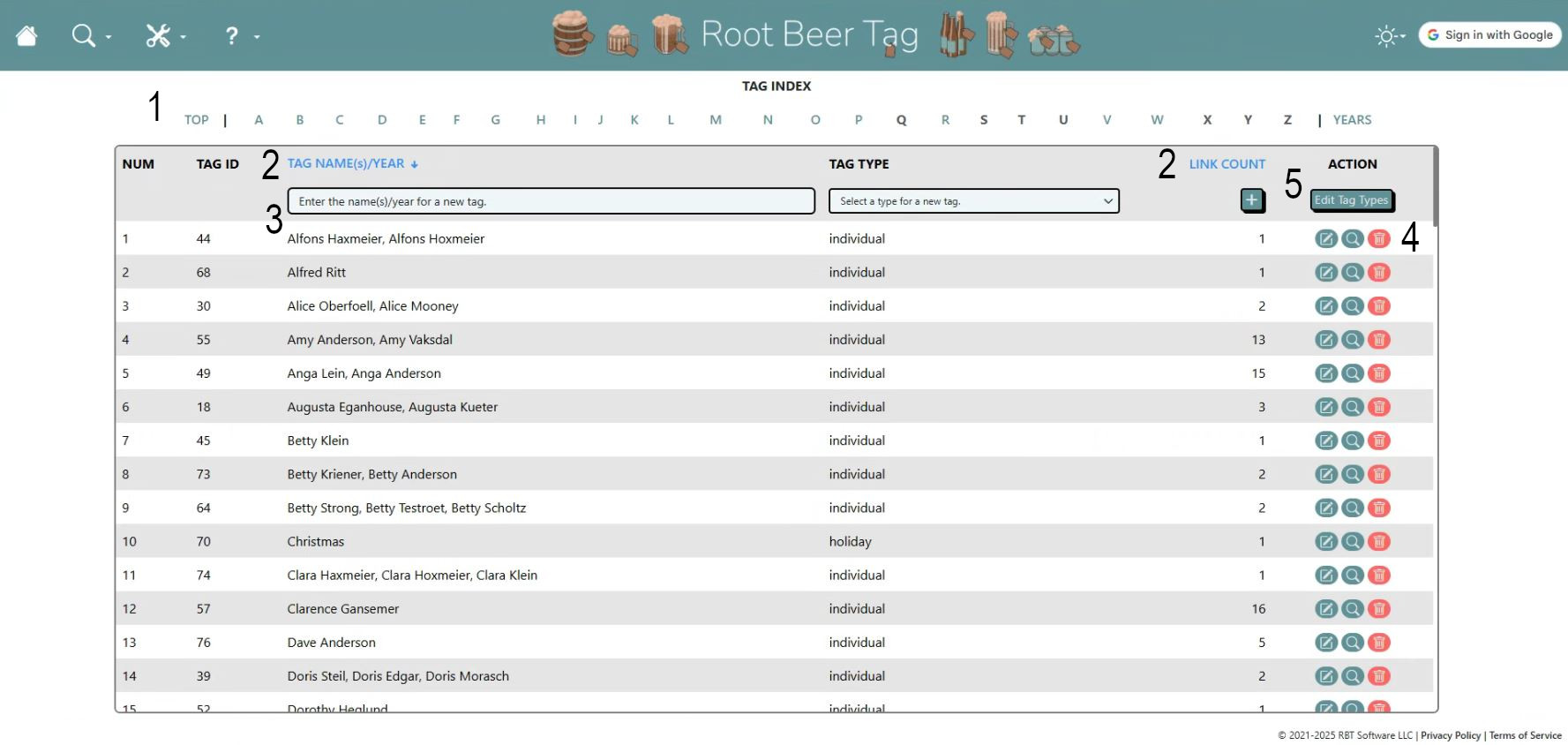
Here are a few highlights.
- Users can click on the A-Z letters across the top of the page to quickly jump to that part of the tag list.
- Users can sort the list by Tag Names or Tag Link Counts by clicking those headers.
- Adding a new tag is as easy as typing in the name(s) or year in the blank at the top of the table, selecting a tag type, and clicking the plus icon.
- In the Action Column, users can edit a tag, directly search the Root Beer Site for images linked to that tag, or completely delete a tag and all of its links. NOTE: Deleting a tag will also delete ALL associated tag links. This deletion cannot be undone.
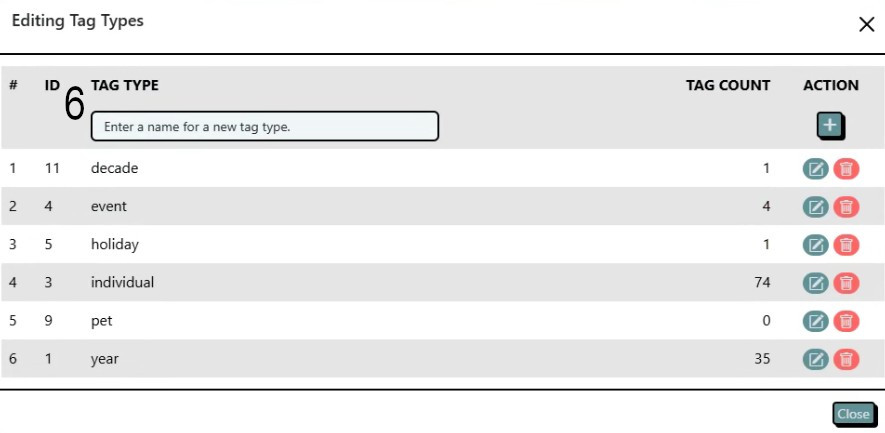
- Lastly, clicking on the Edit Tag Types button to the right of the plus icon opens the pop-up shown below, allowing users to add or remove tag types to assign to tags.
- Similar to the main table, the top row allows users to add a new tag type and the buttons in the action column allow you to edit or delete a tag type. A tag type may only be deleted if the tag count for that type is zero.
If videos are more your speed, here’s a video that also explains the features of this page and how to use them.
This page last updated on 19 February 2026 by Bill Anderson