
From the Tag Search Results page, users can see the results of their tag-based searches. Authorized users can also download images and edit tags linked to images (if allowed).
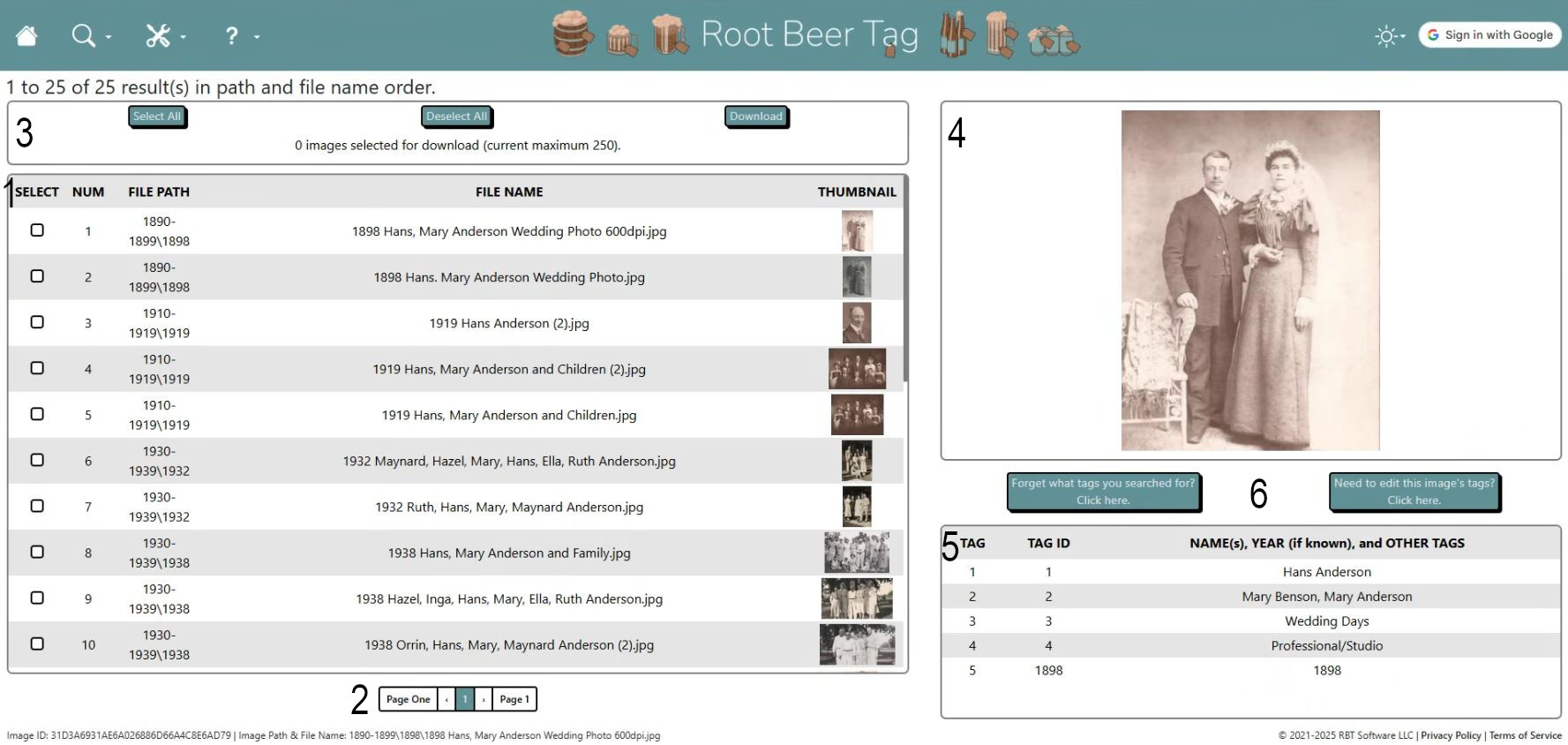
- Dominating the left side of the page is a scrollable list of images that match users’ tag search criteria, displayed in pages of 250. Click on a thumbnail in that list to view a larger size of the image and information about which tags are linked to it. Click on an image’s check box to select it for download.
- Navigating between pages of results is a breeze using the navigation buttons below the list.
- Above that list are buttons to select all images, select none, and download selected images. Images are gathered into a single .zip file and that file is presented for saving on the user’s computer.
- To get an even better look at an image (depending on resolution) users may click on the full-sized image at the right side to open up the image by itself in a new tab.
- At the bottom right, users will find a scrollable list of which tags are currently linked to the selected image.
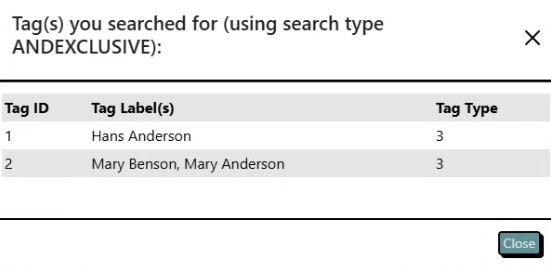
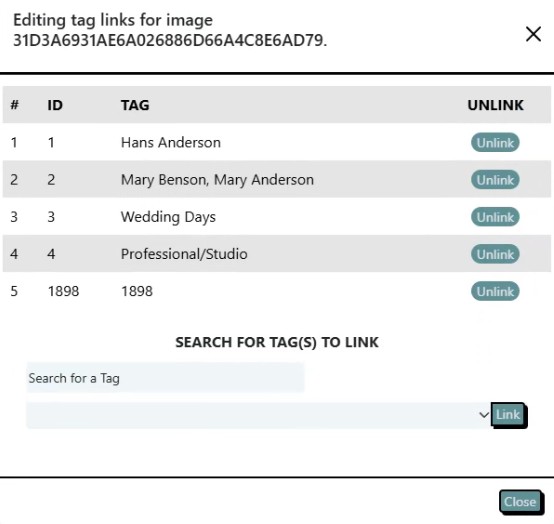
- The buttons below the full-sized image will open separate pop-ups that tell users what they searched for or allow users to quickly edit tags linked to an image.
If videos are more your speed, here’s a video that also explains the features of this page and how to use them.
This page last updated on 19 February 2026 by Bill Anderson